
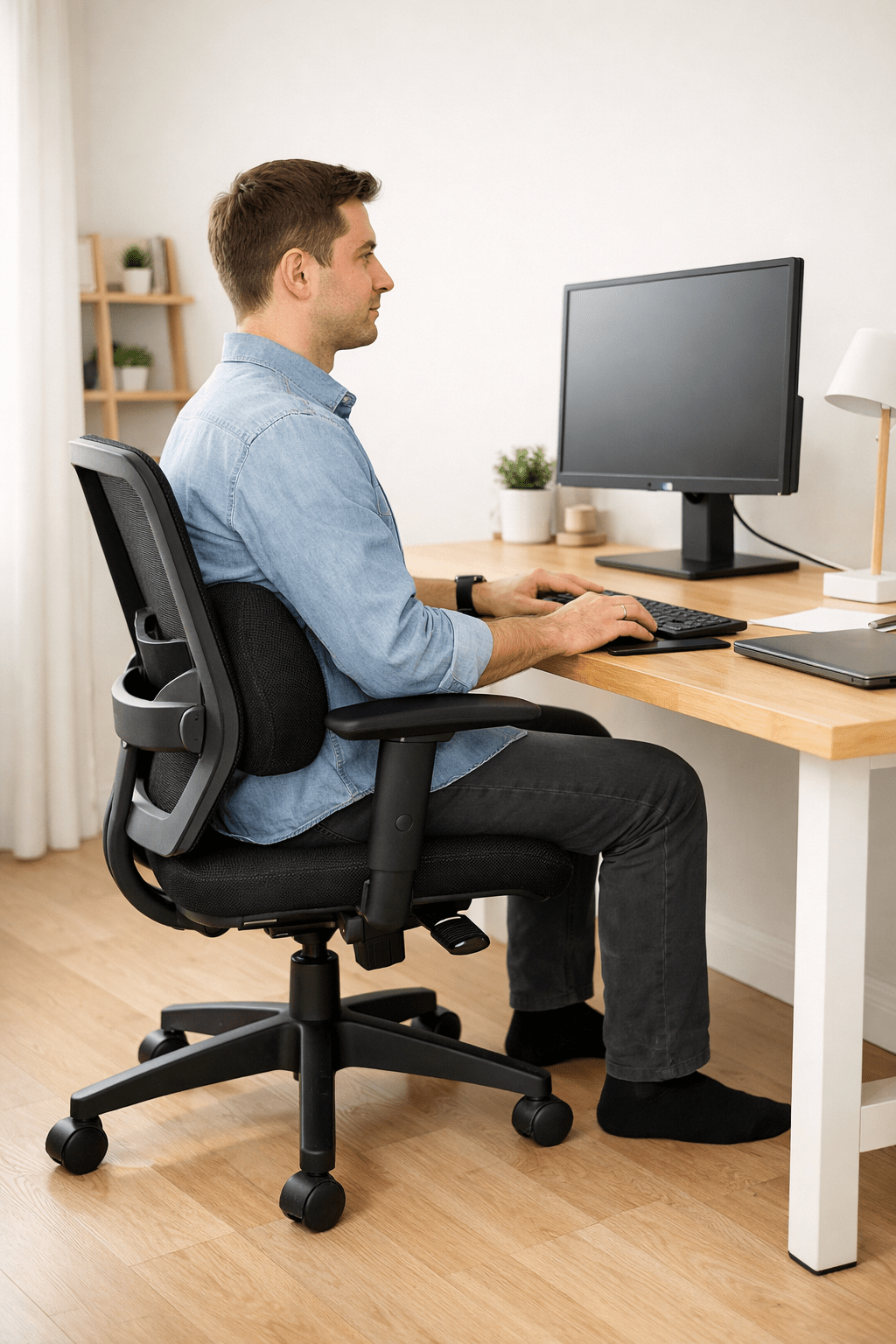
If your chair feels uncomfortable, you’re likely tired of constant shifting and soreness. You might even be considering a new chair.
Here’s the truth:
Most chairs are not “bad.” They’re just not set up correctly.
Before you spend money on a new office chair, let’s fix what you already have. In this guide, I’ll show you why your chair feels uncomfortable and how to fix it step by step in simple, practical ways that work. By the end, you’ll know exactly how to turn almost any chair into one that feels good all day.
Table of Contents
Why Your Chair Feels Uncomfortable After 30 Minutes
Many people feel discomfort after about 30 minutes of sitting. This happens for a reason. Research suggests that reduced blood flow and prolonged muscle inactivity begin to cause strain and discomfort even within a short period (studies on sitting-related circulation support this link).
When you sit still:
- Blood flow slows down in your legs.
- Your lower back muscles relax too much.
- Your spine compresses
- Pressure builds under your thighs and tailbone.
- Your shoulders slowly creep upward.
Your body isn’t designed to be still.
This is why sitting becomes uncomfortable. For a deeper explanation, check out ” Why Sitting Feels Uncomfortable After 30 Minutes, where we break down the science behind the problem.
Now let’s fix it.
How to Make a Chair More Comfortable (Step-by-Step Fixes)
This is the core section. If you apply even half of these changes, you’ll feel the difference quickly.
Quick Start: Need fast results? Try these top two fixes first:
1. Add lumbar support (use a rolled towel, small pillow, folded sweatshirt, compact blanket, or even a firm book at your lower back). Any firm but soft household item can give your lower back the support it needs.
If the seat depth can’t be changed, use a cushion or towel behind your back. This moves you forward and creates the needed gap, easing knee pressure.
You can come back for more details, but starting with these will often give instant comfort.
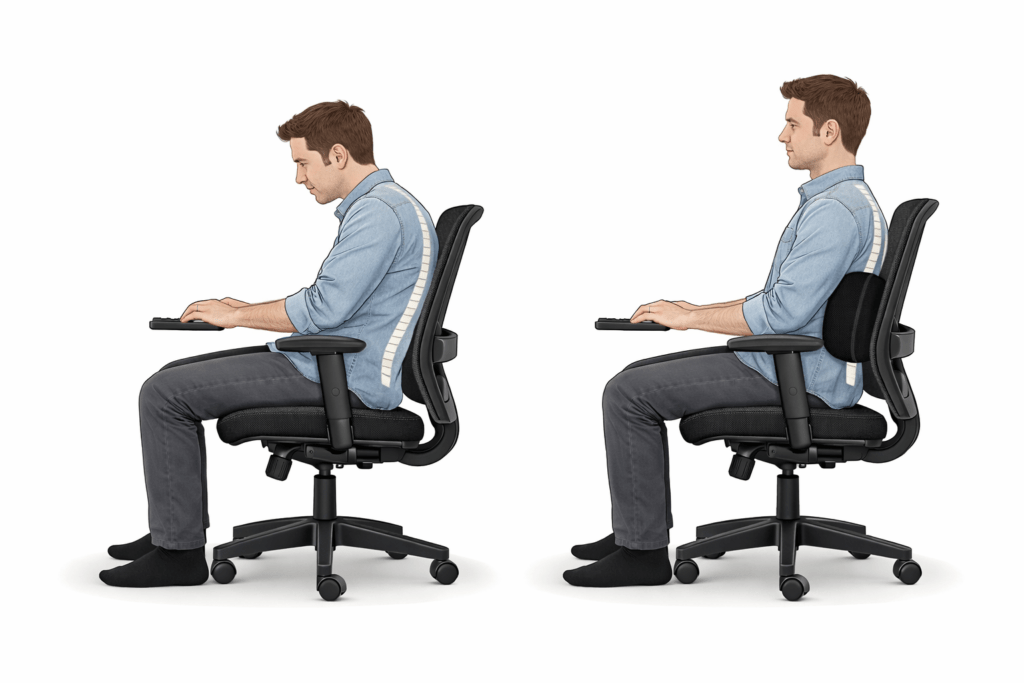
Add Proper Lumbar Support
Your lower back has a natural curve. Most chairs don’t fully support that curve.
When your lumbar spine loses support:
- You slump
- Your back muscles work too hard.
- You feel back pain
If your chair doesn’t have built-in lumbar support:
- Use a small pillow
- Roll up a towel
- Or buy a firm lumbar cushion.
Place it at the level of your belt line — not too high.
If your “ergonomic” chair still causes discomfort, check out Ergonomic Chair Causes Back Pain to understand why support placement matters more than branding.
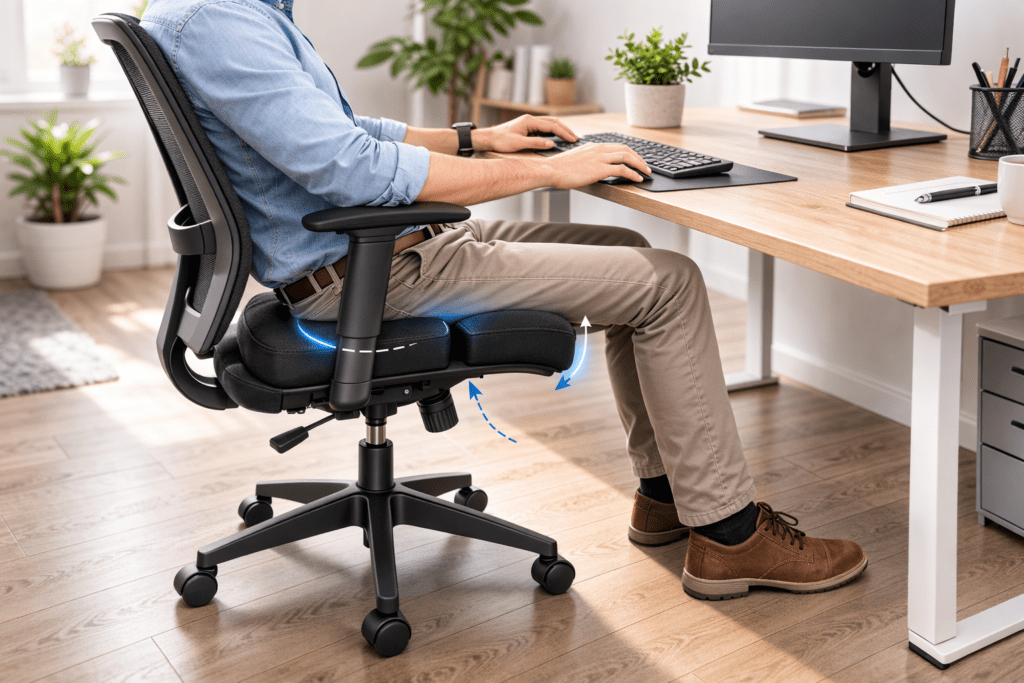
Fix Seat Depth and Thigh Pressure
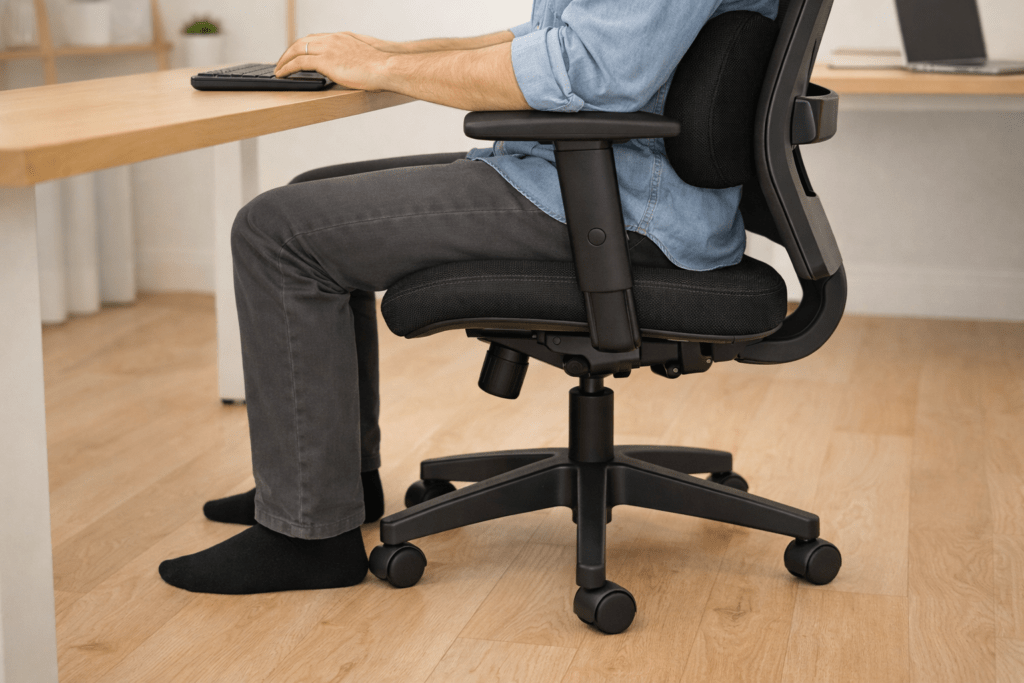
Does the front edge of your chair press into your thighs?
That pressure blocks circulation. It can lead to numbness in the legs and discomfort.
To fix this:
- Sit all the way back in your chair.
- Leave a small gap (2–3 fingers) between the chair edge and the back of your knees.
- Adjust seat depth if your chair allows it.
- Add a cushion for hardness—use a towel, blanket, or sweater as a DIY cushion to reduce pressure points. If you feel strong pressure under your legs, read Thigh Pressure From Chair Edge for deeper adjustments.
Small changes here make a big difference.
Reduce Tailbone Pain
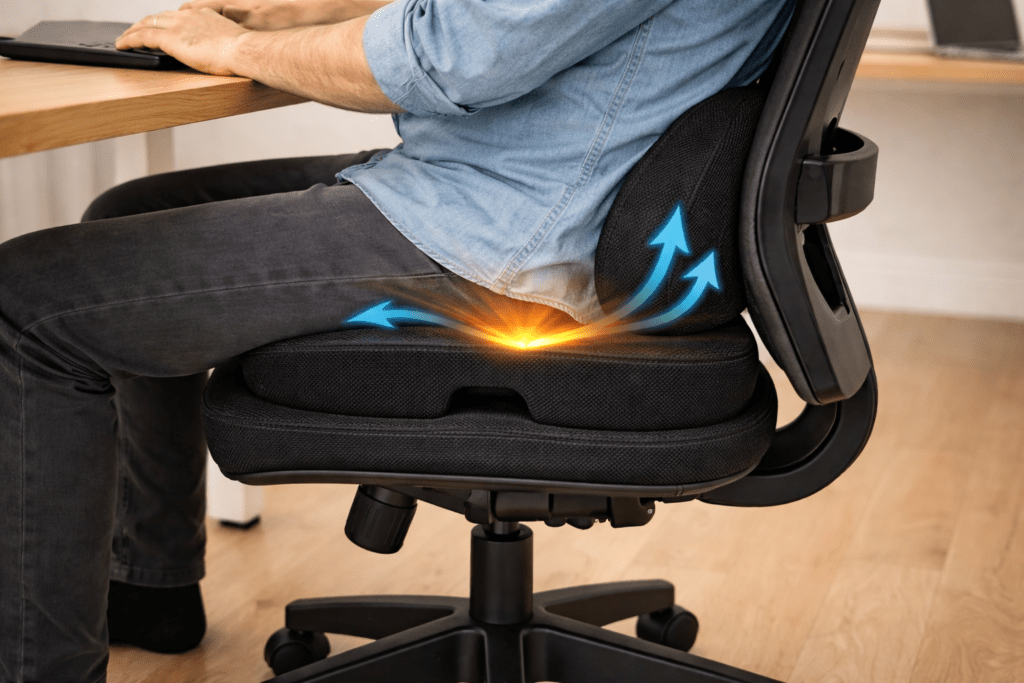
Tailbone pain is frustrating. It feels sharp. It makes you lean forward. Your back then hurts more.
Here’s what helps:
- Use a coccyx cushion (with a cut-out at the back)
- Slightly recline your chair (100–110 degrees)
- Avoid sitting perfectly upright at 90 degrees all day.
Reclining slightly reduces spinal compression.
If this pain feels familiar, explore Tailbone Pain From Sitting to learn why this area gets irritated so easily.
Adjust Armrests to Stop Shoulder Pain
Armrests should help you relax. When they’re too high or too low, they cause tension.
If they’re too high:
- Your shoulders rise
- Your neck tightens
If they’re too low:
- You lean forward
- Your upper back strains
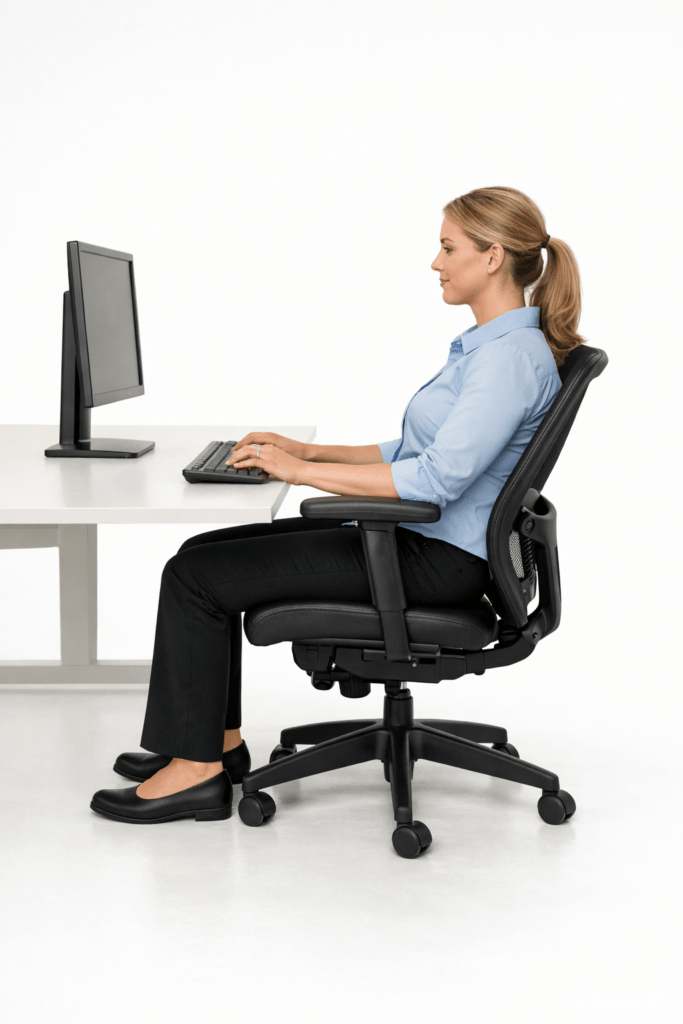
Correct armrest height:
- Elbows at 90 degrees
- Shoulders relaxed
- Wrists neutral
If you notice tight shoulders at work, read “Armrest Shoulder Pain“ for more posture corrections.
Adjust Your Desk and Monitor Setup
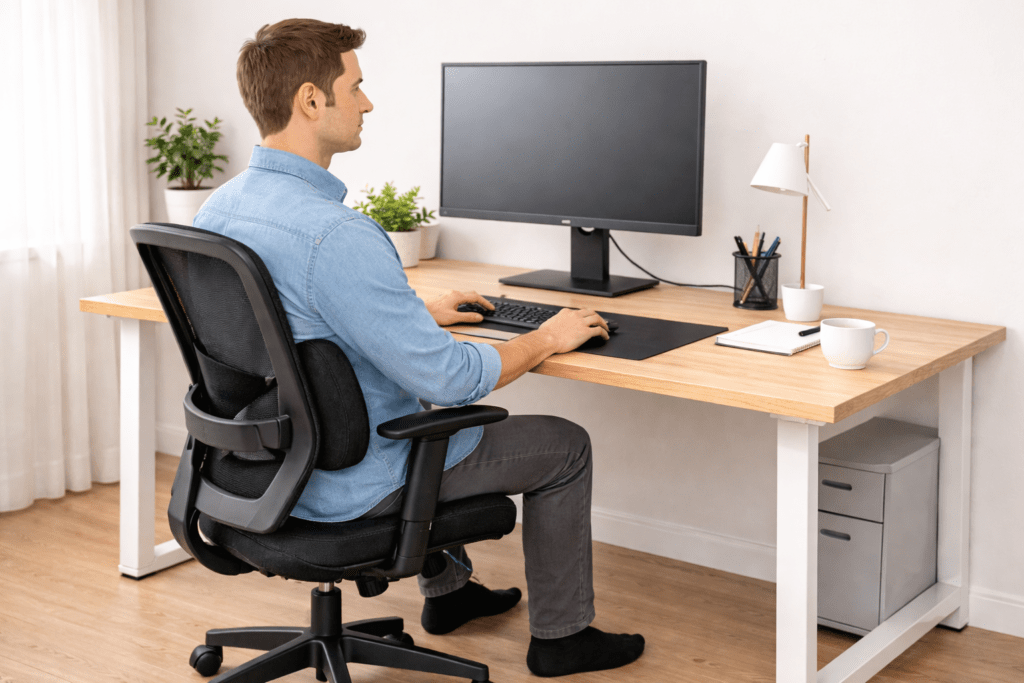
Sometimes the chair isn’t the main problem. Your desk setup is.
If your monitor is too low:
- You bend your neck forward.
If it’s too high:
- You tilt your chin upward.
Both cause strain.
- Your eyes should naturally meet the top third of your screen.
- If you use two screens, check the Dual Monitor Setup Desk to prevent twisting your spine.
When desk height and chair height work together, comfort improves instantly.
How to Make a Cheap Chair More Comfortable
Not everyone can buy a high-end ergonomic chair. And that’s okay.
You can improve a basic chair with smart upgrades.
Add Memory Foam
A dense memory foam cushion improves pressure distribution.
Skip very soft pillows, as they tend to flatten quickly.
Add Lumbar Support
Even cheap chairs feel better with proper lower back support.
Use a Footrest
If your feet don’t rest flat:
- Your thighs carry more weight.
- Pressure increases
- You slide forward
A small box or firm footrest keeps your legs stable.
Fix Posture Before Blaming the Chair
Sit back fully.
Relax your shoulders.
Keep your feet grounded.
Slight recline.
Most cheap chairs feel worse because posture collapses, not because the chair is unusable.
Quick Fixes You Can Do in 5 Minutes
If you want fast improvement, do this now: Set a phone alarm or use a timer app to remind you to make these simple adjustments and stand up regularly. A quick reminder can help you build lasting habits and stay comfortable throughout the day.
- Sit all the way back.
- Slightly recline your chair.
- Relax your shoulders
- Keep your elbows near your body.
- Place your feet flat on the floor.
- Raise your monitor to eye level. You don’t need special equipment—simply stack sturdy books or use a stable box under your monitor to quickly achieve the right height, for free.
These small adjustments reduce pressure immediately.
Comfort is often about alignment, not cost.
Long-Term Prevention Strategy
Even a perfect chair cannot protect you if you sit for hours without movement.
Your body needs variation.
Here’s what works long term:
1. Move Every 30 Minutes
Stand up.
Stretch.
Walk for one minute.
Your muscles reset quickly.
2. Change Sitting Angles
Switch between:
- Slight recline
- Upright posture
- Small forward lean
Static posture causes stiffness.
3. Avoid Sitting on the Edge
Edge sitting overloads your spine and legs.
4. Check Setup Monthly
Your chair settings shift over time.
Recheck:
- Seat height
- Lumbar position
- Monitor alignment
If you constantly feel discomfort, revisit Why Sitting Feels Uncomfortable After 30 Minutes to understand how static posture affects your body.
Prevention is more powerful than constant correction.
When You Actually Need a New Chair
Sometimes adjustments are not enough.
You may need a new chair if:
- Seat foam is completely flat.
- The tilt mechanism is broken.
- No lumbar support exists.
- Frame wobbles
- Pain continues despite setup correction.
If you’re considering replacement, compare options carefully.
You can start with:
Choose based on support features, not marketing.
The Real Secret Behind Comfort
People think comfort comes from softness. But soft seats are like marshmallows: fun and cozy at first, but they quickly collapse and leave you with zero real support. True comfort is about lasting alignment, not plushness.
It doesn’t.
Comfort comes from:
- Support
- Alignment
- Movement
- Pressure balance
A chair becomes comfortable when it works with your body, not against it.
You don’t need perfection.
You need support in the right places.
Frequently Asked Questions
How can I make my office chair more comfortable without buying a new one?
Add lumbar support, adjust the seat height, adjust the armrest position, adjust the monitor height, and use a firm cushion if needed. Small adjustments often solve big discomfort.
Why does my chair feel uncomfortable after 30 minutes?
Pressure builds under your thighs and tailbone. Your posture slowly collapses. Blood flow reduces. Your muscles become stiff.
Can a cushion really make a chair more comfortable?
Yes, if it redistributes pressure and supports your lower back correctly. Avoid soft cushions that flatten quickly.
Should my chair be straight or slightly reclined?
A slight recline between 100 and 110 degrees reduces spinal pressure and improves comfort.
How do I stop leg numbness while sitting?
Check seat height, reduce thigh pressure, keep feet flat, and avoid crossing legs for long periods.
How do I know if the chair is the problem or my posture?
Correct your posture first. If discomfort continues despite proper alignment, your chair may lack necessary support.
Final Thoughts
If you came here looking for how to make a chair more comfortable, you probably felt frustrated. You shift. You stretch. You feel annoyed. Work becomes harder.
The good news is:s?
You don’t always need a new chair.
You need:
- Proper support
- Correct setup
- Small adjustments
- Regular movement
Comfort is not about buying something expensive.
It’s about understanding how your body works while sitting.
Fix the setup.
Support your spine.
Move often.
Your chair will feel different.