
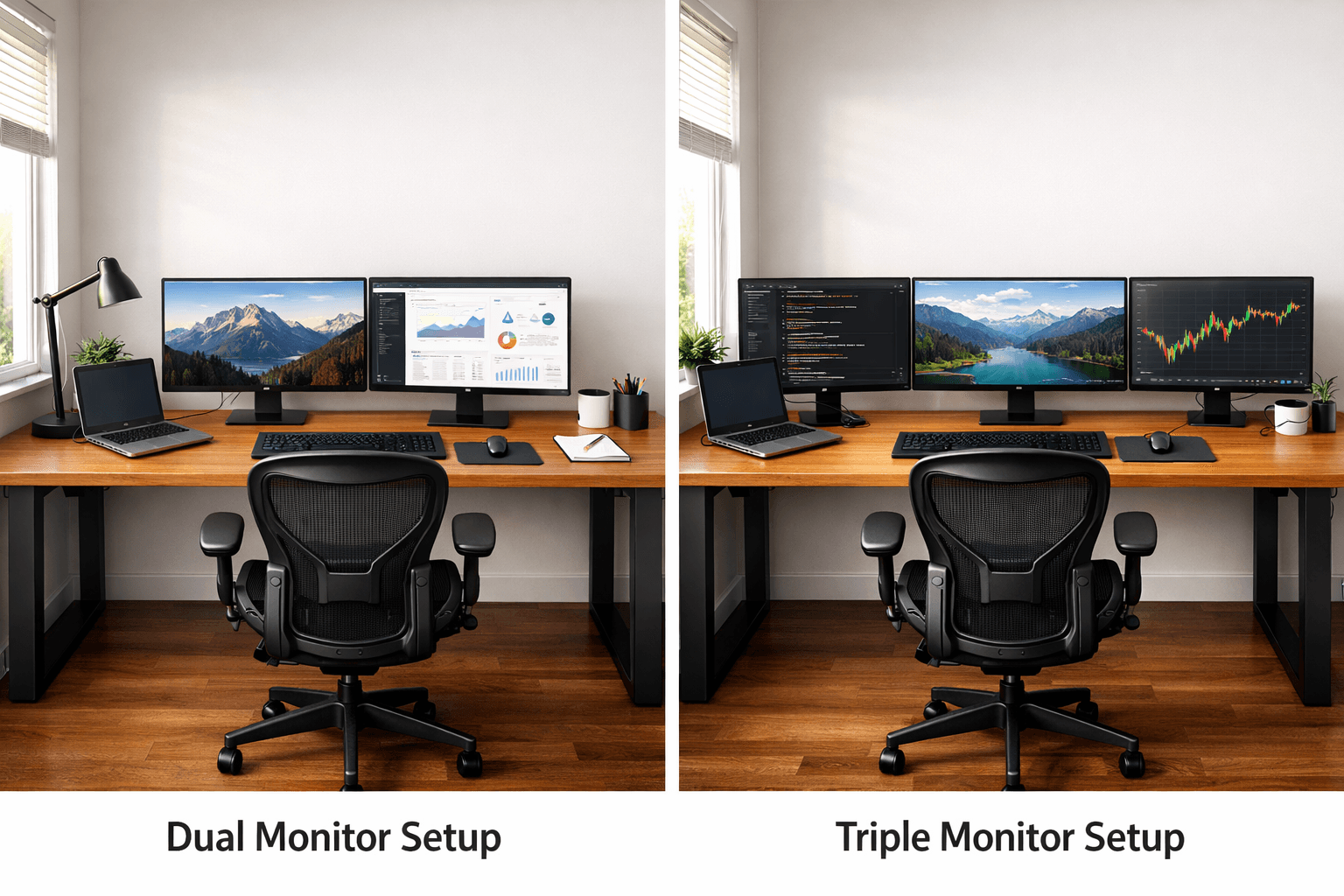
Most people think they need a bigger desk for multiple monitors.
They’re wrong.
The real reason your setup feels cramped, messy, or painful has nothing to do with size alone — it’s how your desk, monitor position, and ergonomics work together.
In this guide, you’ll learn exactly how to choose the right desk for multiple monitors, avoid the most common setup mistakes, and build a workspace that doesn’t destroy your neck, back, or productivity.
Table of Contents
How to Choose a Desk Size That Actually Fits Multiple Monitors
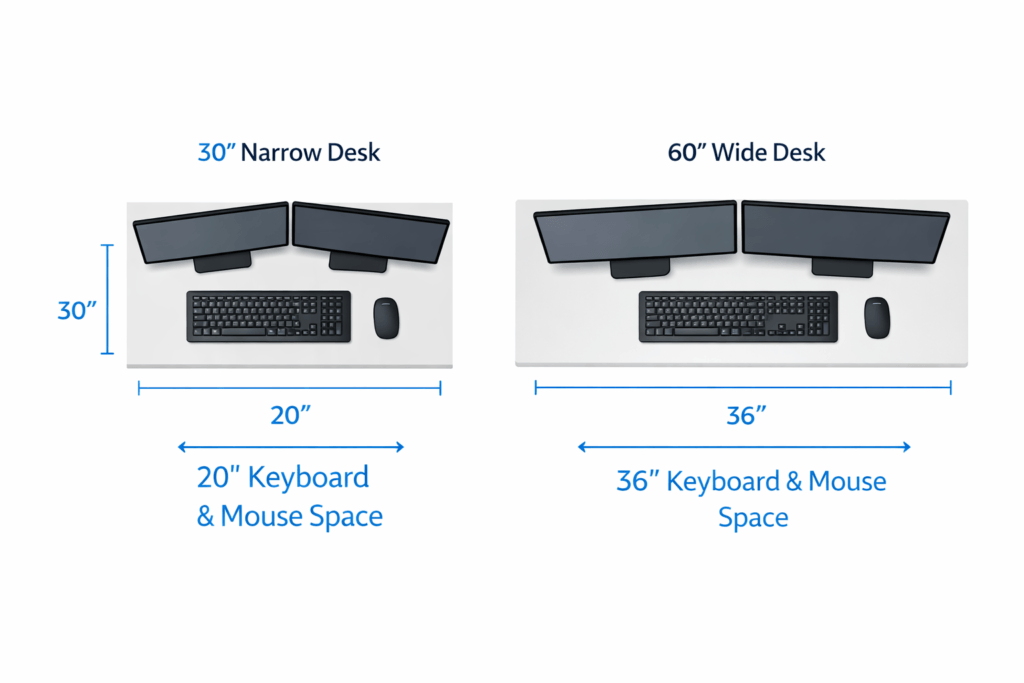
When you use one monitor, almost any desk works.
But once you start using two or three monitors, things change.
Imagine this: You set up your brand-new monitors, ready to boost your productivity. But pretty quickly, you realize something is off. Your elbows poke the edge of the desk, power cords tangle together under your feet, and you keep nudging your coffee mug just to fit your notepad. The whole setup suddenly feels crowded, almost chaotic.
More screens mean:
- More width
- More Depth
- Moreweight
- Moree cablesMore movement
A too-small desk leaves you cramped.
If it’s too shallow, your screens end up too close to you.
If the desk isn’t sturdy, it will shake.
Over time, this causes:
- Neck pain
- Shoulder tension
- Eye strain
- Frustration
You don’t just want a desk that barely fits your monitors.
You want a desk that feels stable and comfortable, and that will last as your needs change.
Choosing the right width is important, but desk height matters just as much — here’s a complete breakdown of ideal desk height based on your body type
Desk Requirements for Two Monitors
If you use two monitors side by side, your desk should be:
At least 55 to 63 inches wide
Why?
Most monitors are 24–27 inches wide.
Two of them together already take up Space.
You also need room for:
- Keyboard
- Mouse
- Speakers
- Small accessories
If your desk is under 55 inches, it feels tight.
You might notice:
- Your mouse is hitting the edge.
- Screens are almost touching each other.
- No space for notes
That leads to frustration.
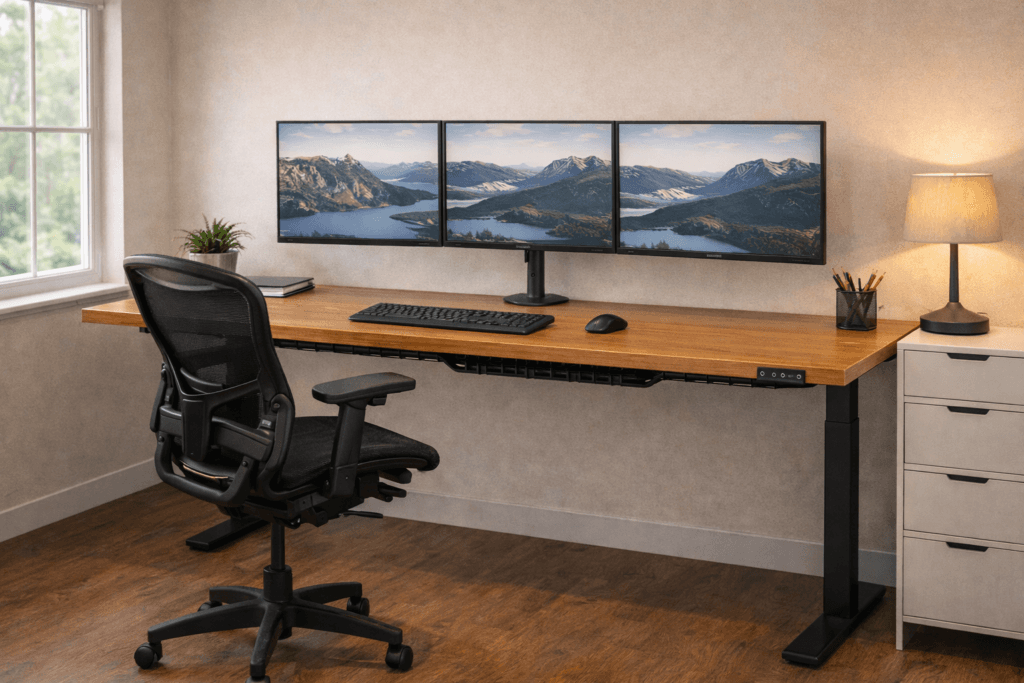
Desk Requirements for Three Monitors
If you want to use three monitors, you’ll need to plan.
Step 1: Figure Out How Many Monitors You Use
Before choosing any desk, ask yourself:
How many monitors do I use now?
Will I add more later?
Your answer will shape all your other choices.
Your desk size should be:
At least 63 to 72 inches wide
If your monitors are 27 inches or more, aim for at least 75 inches of desk width. For example, if you use three 32-inch monitors, consider a desk that is 80 inches or wider. This ensures you have enough Space for screens and accessories.
Three screens create a wide visual field. If the desk is narrow:
- You turn your neck too much.
- Your arms feel crowded.
- Your setup looks messy.
A wider desk gives you more Space to work comfortably.
Prioritize comfort—not just fitting everything in.
Step 2 – Choose the Right Desk Width
Width is the first big decision.
Here’s how to calculate it.
Measure Your Monitors
- Measure the width of one monitor.
- Multiply by how many monitors you have.
- Add 10–15 extra inches for spacing.
That extra Space is essential to prevent a cramped setup.
Think About Mouse Movement
This is something people often overlook.
You need Space to move your mouse freely. If your arm feels trapped, you will tense up without noticing.
That tension causes pain over time.
A wider desk helps prevent that kind of stress.
Step 3: Pick the Right Desk Depth
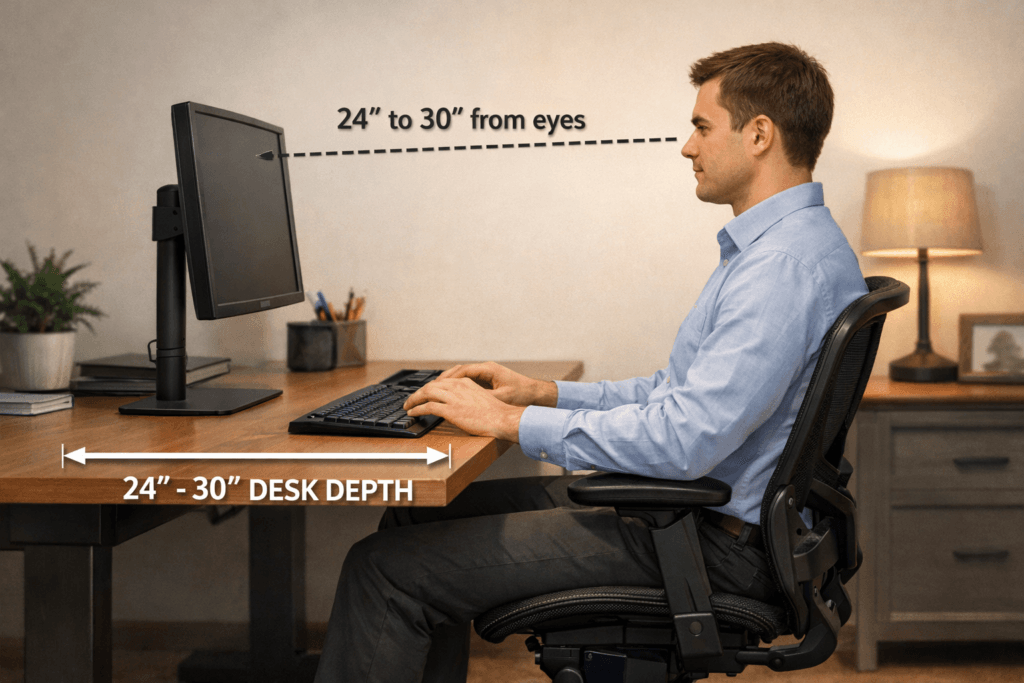
Desk depth is just as important as width.
Depth means how far the desk goes from front to back.
Your desk should be:
At least 24 inches deep
27–30 inches is ideal
Why?
Keep your eyes about 20–30 inches from the screen.
If the desk is too shallow:
- The monitor sits too close.
- You lean back
- Your neck stretches forward.
- Your eyes get tired
A deeper desk lets you sit with better posture.
If you already have a shallow desk, monitor arms can help. They push the screens slightly backward, freeing up Space.
If you’re buying a new desk, make sure it’s deep enough from the beginning.
If your neck or back hurts, your desk isn’t the only problem.
Your chair and posture setup play a huge role. Here’s how to Make a Chair More Comfortable (Without Buying a New One).
Step 4: Check Weight Capacity and Stability
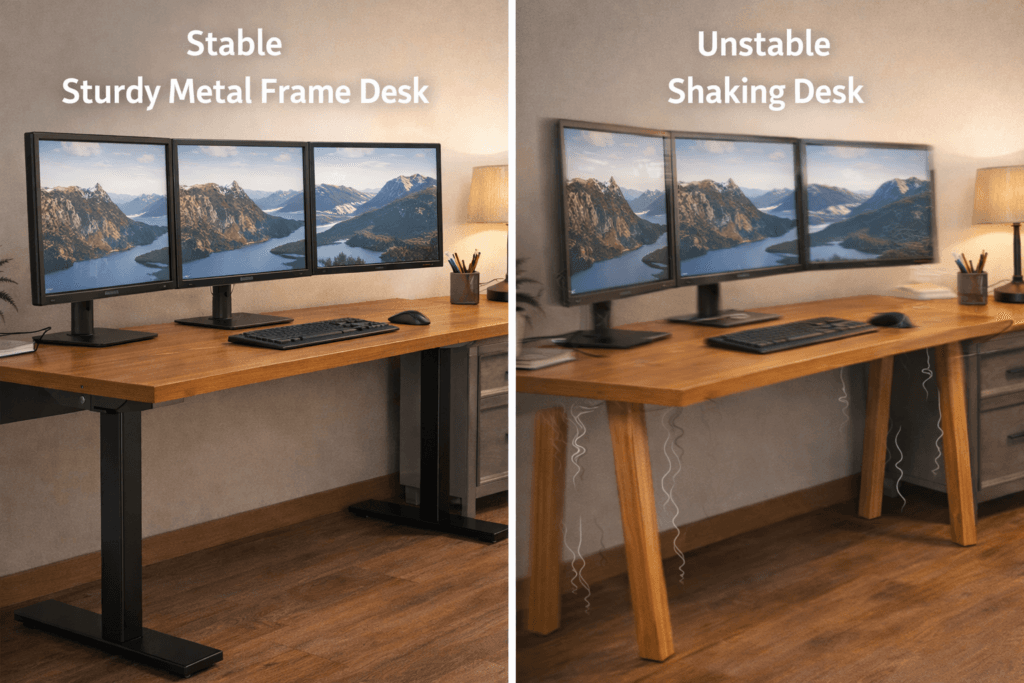
A lot of people skip this step.
Multiple monitors are heavy.
Each monitor may weigh 8–15 pounds.
Monitor arms add more weight.
Your desktop computer may sit on the desk, too.
All that weight can add up quickly.
If your desk is weak:
- It may wobble
- It may bend in the middle.
- It may feel unstable at first. The shaking or wobbling might be barely noticeable at the beginning. Over time, it becomes more obvious and can quickly become distracting and frustrating.
What to Look For
- Solid wood or thick engineered wood
- Strong metal frame
- Thick legs
- High weight rating from the manufacturer
Stability is essential for comfort.
Step 5: Decide Between a Standing or Regular Desk
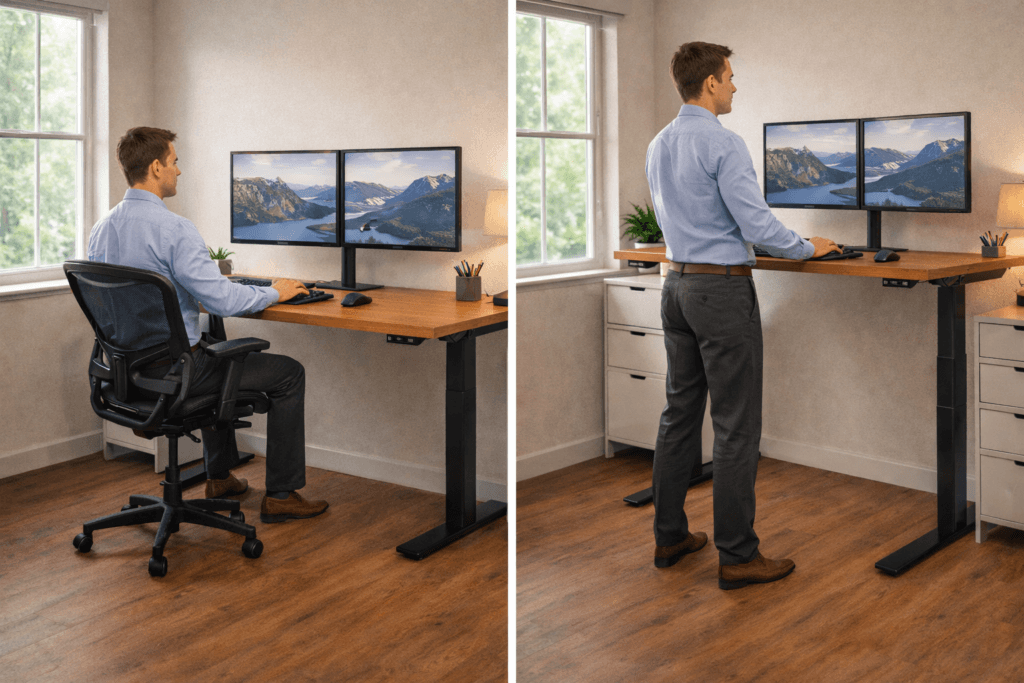
Now ask yourself:
Do I want to sit all day?
Many people now choose standing desks.
A standing desk can work well with multiple monitors, as long as it’s sturdy.
Important Things to Check
- Motor strength
- Maximum weight capacity
- Stability at full height
- Frame thickness
Cheap standing desks may shake when raised to a high height. That shaking gets worse with three monitors.
If you want to switch between sitting and standing, it’s worth investing in a quality desk.
If you’re on a budget, a sturdy fixed desk might be a better choice.
Step 6: Make Sure You Have Enough Legroom
This might sound simple, but it really matters.
Some desks look stylish but have:
- Thick drawers underneath
- Crossbars are hitting your knees.
- Low under-desk space
If your legs are cramped, your whole body can feel tense.
You need room to:
- Stretch your legs
- Change positions
- Sit comfortably for long hours.
Always check how much Space is under the desk before you buy.
Do You Need Monitor Arms?
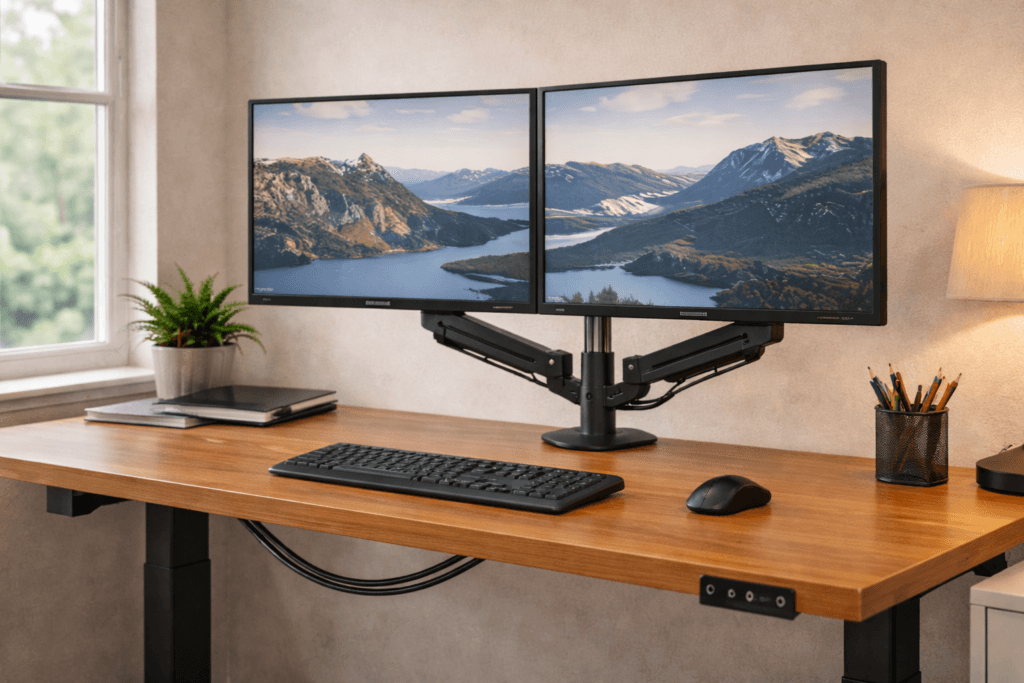
You don’t have to use monitor arms, but they can be really helpful.
They help by:
- Saving desk space
- Adjusting the screen height easily
- Improving alignment
- Reducing neck strain
If your desk is too deep, arms can help create distance.
If you use three monitors, arms make alignment easier.
Think of monitor arms as tools that give you more flexibility.
Common Mistakes When Choosing a Desk

Let’s help you avoid any regrets.
Here are the mistakes many people make.
1. Buying Too Narrow
They focus only on fitting monitors.
They forget keyboard and mouse space.
The result is a cramped setup.
2. Ignoring Depth
A shallow desk might look fine in photos.
In real life, it causes eye strain.
3. Ignoring Weight Rating
They assume all desks are strong.
A wobbly desk can quickly ruin your comfort and focus. Always get a desk with a stable frame and sturdy materials. This will help your setup feel secure.
4. Choosing Style Over Function
Minimal desks look clean.
But if they’re too small, your setup won’t work well.
Function comes first.
5. Forgetting Future Upgrades
Maybe you use two monitors now.
What if you add a third later?
Getting a slightly bigger desk now can save you money in the long run.
Quick Desk Buying Checklist
Before you click “buy,” make sure you check these things:
✔ Wide enough for your monitors
✔ At least 24 inches deep
✔ Strong frame and legs
✔ High weight capacity
✔ Enough leg clearance
✔ Cable management options (Look for desks with trays or grommets. Use adhesive cable clips to keep wires tidy and out of the way.) These simple tools prevent clutter and help you work more comfortably.
How to Avoid Neck and Back Pain
Picking the right desk is also about your health.
Follow these posture rules:
- Top of the monitor at eye level
- Screens 20–30 inches away
- Shoulders relaxed
- Elbows bent at 90 degrees.
- Feet flat on the floor
If your desk size prevents these positions, it is not right.
Listen to your body—it knows what feels right.
Check out our latest guide on neck pain.
Think About Your Work Style
Different work needs different setups.
Ask yourself:
- Do I game?
- Do I edit videos?
- Do I code?
- Do I trade stocks?
- Do I study?
If you multitask a lot, you’ll need more Space.
If you switch between screens often, arranging them in a curve can help.
If you mostly use one screen, keep it centered in front of you.
Your desk should fit the way you work.
Real User Intent: What You Actually Want
You’re not searching for how to choose a desk for multiple monitors because you love furniture. You want a setup that fits your needs and improves your work or gaming experience.
You are searching because:
- You feel crowded
- Your neck hurts
- Your desk shakes
- You regret your last purchase.
- You want a clean setup.
- You want comfort
You want confidence.
You want to buy once and feel satisfied.
This guide is here to help you avoid mistakes and make smart choices.
Frequently Asked Questions (FAQs)
What size desk do I need for multiple monitors?
For two monitors, choose at least 55–63 inches wide. For three monitors, choose 63–72 inches or more. Always add extra Space for keyboard and mouse movement.
Is 55 inches wide enough for dual monitors?
Yes, 55 inches can work for medium monitors. But if your screens are large, 60 inches or more, it feels more comfortable.
How deep should a desk be for 3 monitors?
At least 24 inches deep. Ideally 27–30 inches. This keeps monitors at a safe viewing distance and protects your eyes.
Can a regular desk hold multiple monitors?
It can, if it is wide, deep, and strong enough. Always check the weight capacity and stability before using multiple monitors.
Do I need a standing desk for multiple monitors?
No, but a high-quality standing desk gives flexibility. Make sure it has strong motors and good stability if using heavy screens.
How much weight can a desk hold?
It depends on the model. Always check manufacturer specifications. Multiple monitors and arms combined can exceed 40 pounds.
Are monitor arms necessary for small desks?
They are not required, but they help save Space and improve screen alignment, especially on shallow desks.
What is the best desk material for stability?
Solid-wood or desks with strong metal frames provide greater stability than thin particleboard designs.
Final Thoughts
Choosing the right desk for multiple monitors isn’t just about looks. It’s about having enough Space, strength, and comfort.
Remember:
- Width prevents crowding
- Depth protects your eyes.
- Stability prevents shaking
- Legroom improves comfort
- Future-proofing saves money
Take careful measurements, think about the future, and make your choice with confidence.
When your desk fits both your monitors and your body, everything gets easier.
Less pain.
Less stress.
More focus.
That’s what you really want in the end.