
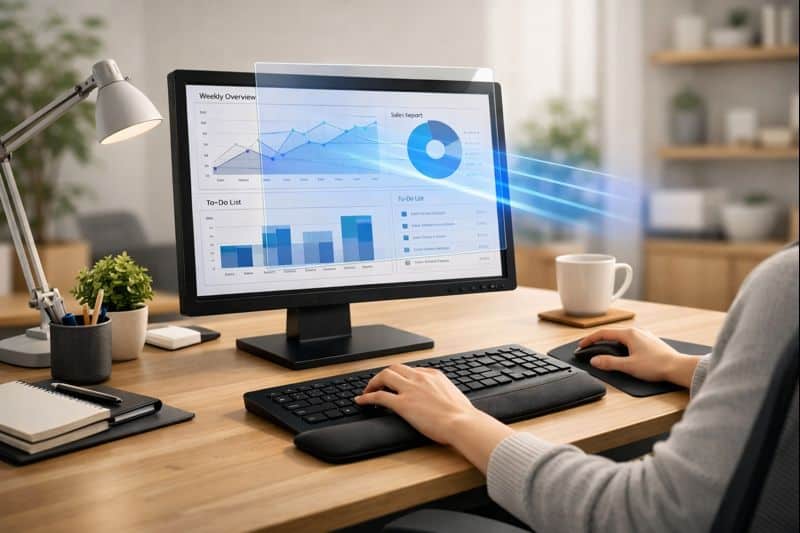
Eye protectors for screens are fancy as a fancy way to relieve eye strain from long-period use of electronics. After hours spent in front of phones, tablets , and computer screens, it’s not uncommon for adults to wind down by swiping through their cellphones or binging on their favorite Netflix shows. This brings us to the big question: are screen protectors useful at all, or are they just another accessory? Here’s what they are, how they work, and who might benefit from trying them.
Table of Contents
What Are Screen Protectors for Eyes?
Eye protection screen protectors are a thin layer that gets stacked on top of digital screens to provide enhanced viewing comfort. Not like ordinary scratch protectors, these are coated on both sides with an ultra-fine, high-quality lining that can help reduce the appearance of screen glare. They are not medical devices, but they try to alleviate and avoid some of the typical screen-based discomforts — including glare, intense brightness, and visual fatigue.
Most eye-directed screen protectors work by managing how light is reflected off the display. Some dim glare from overhead lights or windows, while others slightly filter high-energy light-emitting from displays. This can result in a softer feeling and an easier screen on which to look, especially during extended work or study sessions.
These guards are used widely by office workers, students, gamers, and remote workers who spend long hours on their screens. For people who find their eyes tired by the end of the day, just one tool that makes screens easier on the eyes can be a great way to enhance comfort without throwing away and replacing all your equipment.
It’s a good thing to remember that almost all screen protectors are support instruments, and not the final answer. Eye comfort also varies with screen height, distance, brightness, and posture, and comes down to taking regular breaks. Used in conjunction with positive screen habits, a screen protector may help you keep your viewing experience more comfortable. It can provide a bit of alleviation on its own, but true comfort will arrive in how you handle your screen from day to day.
Types of Screen Protectors Available
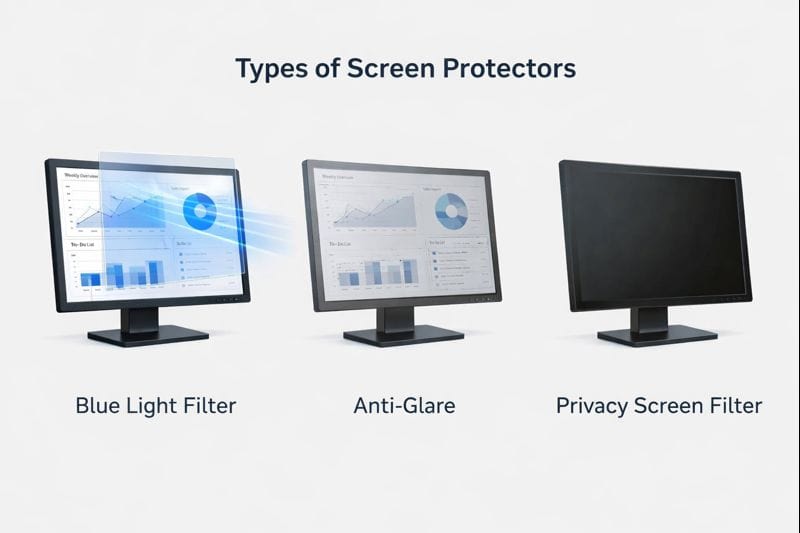
There are different kinds of screen protectors designed for your eyes. Anti-glare design blocks unsettling reflections from lights and windows, so you can say goodbye to eyestrain, Sachtleben says. Blue light filtering protectors dim the light from screens. Privacy screen protectors for over-sidewinding and reduce glare. A few protectors offer several features — anti-glare, in addition to blue light filtering, for example. What each of these types emphasizes is visual comfort, instead of changing the way the screen functions.
How Screen Protectors Differ From Blue Light Glasses
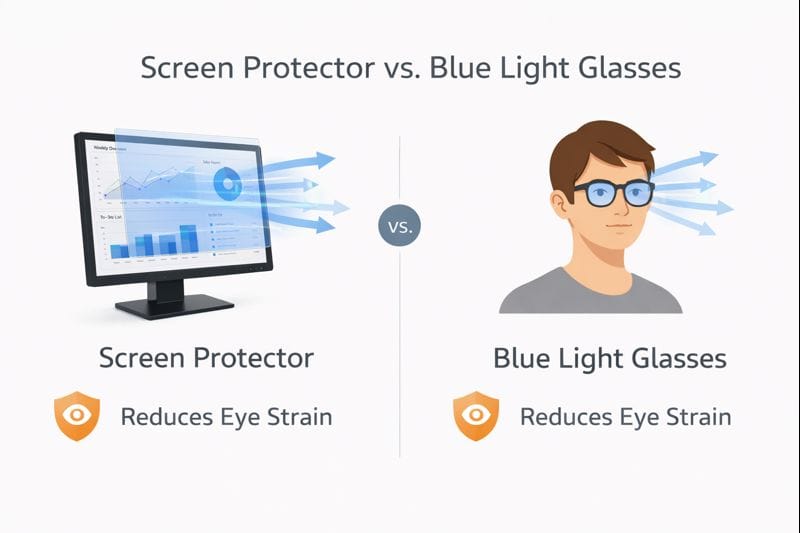
Screen protectors are applied directly to the device, while blue light glasses sit on your nose. A screen protector contributes to affecting the overall viewing of the screen by everyone if we talk about onlookers, while there are only advantages for you when you wear glasses. Protectors help to reduce glare and adjust the output of the screen, while glasses filter light after it reaches your eyes. Screen protectors are more commonly used for shared devices, and glasses are more personal. They both seek to make the situation more comfortable, but they do so in different ways.
Devices That Can Use Screen Protectors
Eye screen protectors are available for a wide range of devices. Such devices can be, but are not limited to, desktop monitors, laptops, tablets, and smartphones. Some are only compatible with certain screen sizes, and others can be adjusted or magnetic for easy removal. They are found on work monitors, study laptops, gaming screens, and any other displays that people happen to spend long viewing hours with.
How Screen Protectors Claim to Reduce Eye Strain
Blue Light Filtering Technology
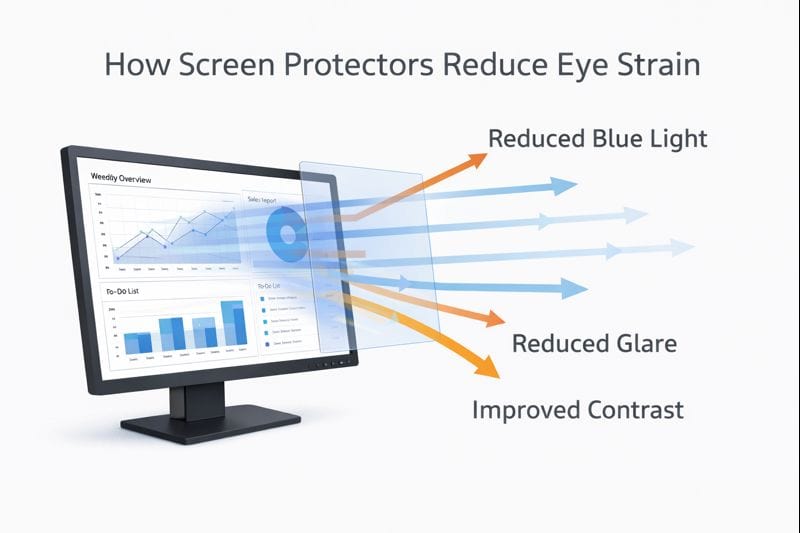
Some screen protectors purport to reduce eye strain by filtering the blue light emanating from digital screens. Blue light is the high-energy part of the light spectrum that makes screens look bright and clear, but viewing for long periods can feel tiring on the eyes. These protectors incorporate a special layer that simply cuts the amount of blue light able to pass through the screen slightly. This doesn’t remove blue light entirely; it just dials down its intensity. The screen will therefore be easier on the eyes, especially when working late into the night or during long stretches. This filtering could be helpful to some users in making their eyes feel fresher, but it is most effective when used along with the correct display brightness, distance, and regular breaks rather than by itself.
Anti-Glare and Reflection Reduction
A lot of screen protectors purport to cut down on eye strain by filtering blue light that emanates from digital screens.) Blue light is high-energy light that makes screens seem bright and sharp, but extended exposure can be tiring for the eyes. These protectors work by having a specialized layer that lessens the amount of blue light that comes through the screen very slightly. This is not a complete elimination of true blue light, but it does downgrade its strength. As a result, the screen doesn’t feel as harsh for your eyes, particularly at night or during extended working sessions. This may help some users be more comfortable, but it’s most effective when used in combination with appropriate screen brightness, distance, and frequent breaks rather than as a substitute for those things.
Contrast and Visual Comfort
At the other extreme, some screens actually enhance comfort by optimizing contrast and reducing glare. If contrast is too sharp, text and images can be unpleasant to look at. A solid screen protector also flattens out those differences, making it easier to read text without straining. This also allows the eyes to maintain their focus for longer without getting tired. More visual comfort doesn’t have to compromise. No more watery eyes after a long day looking at screens — even if they aren’t dull, but rather enjoyable to look at throughout the day.
Do Screen Protectors for Eyes Really Work?
What Research and User Experience Suggest
Studies and anecdotal user experiences have shown that the use of screen protectors can partially, but not fully, alleviate discomfort in the eye. There is evidence that blue light filtering and anti-glare features on some glasses may help reduce visual fatigue when using screens for long periods of time. Many customers say they experience less eye burning, fewer headaches, and better comfort — specifically in bright rooms or at night. But everyone is different. Some people notice marked improvement, others little or nothing. It’s because eye stress isn’t brought on by one reason. Screen habits, posture, lighting, and break time are all contributors, along with screen protectors.
Situations Where Screen Protectors Help Most
Screen protectors are more effective in some circumstances. They are helpful for those of us who stare at screens/screens/media without changing locations for hours on end (hello, office workers/students). They also assist when in harsh lighting or glare from windows & light reflection off mirrors and lamps. Late-night workers may also take solace in the fact that the screen looks softer. Laptop or Tablet. Along with smartphones, laptops, and tablets are widely used at bad angles, too. In such cases, protectors can make watching easier on your eyes.
When Screen Protectors May Not Be Enough
Screen protectors can only do so much if their more pressing issues are left unaddressed. Bad monitor height, sitting too close to the screen, high brightness, and never taking any breaks can still give you eye strain. Installing a screen protector without addressing them results in poor performance most of the time. Eye fatigue may persist if posture and screen distance are incorrect. For actual relief, screen protectors should be part of an approach that involves setting up your desk properly, positioning your monitor at the right angle, and giving your eyes regular breaks throughout the day.
Screen Protectors vs Proper Desk & Monitor Ergonomics
There is also a tendency for screen protectors to be prescribed as a quick fix for eye strain, but they produce the best results when used in conjunction with correct desk and monitor ergonomics. Whereas a screen protector can reduce glare or dim light, ergonomics concerns the interaction between your body, the screen, and your workspace. The latter leads to less eye strain, saturation of the neck pain, and tiredness root cause. Rather than selecting one over the other, it is useful to recognize how each contributes and where its boundaries lie. The aim is long-term comfort, not just short-term relief.
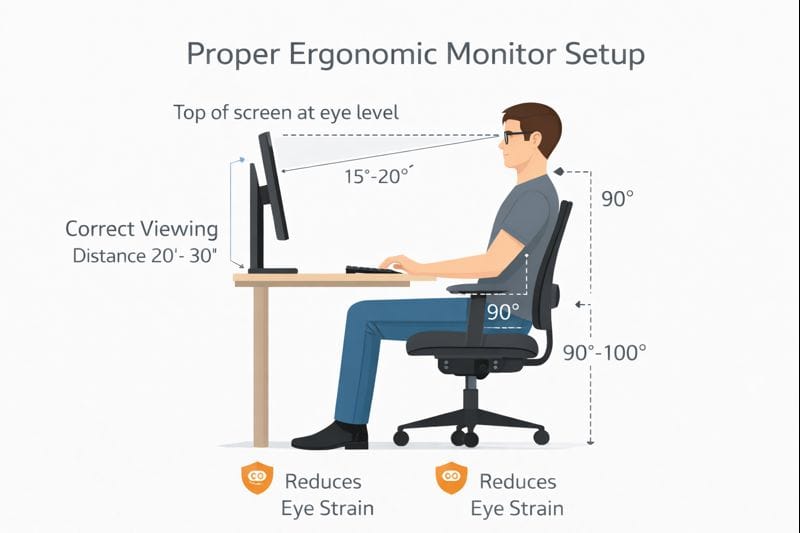
Monitor Height and Viewing Distance
The right level and distance of your monitor trump any screen accessory. Your screen should be at or slightly below eye level and an arm’s length away. This position is straight on your neck and less strain for the eyes. No screen protector, no matter how good, can fix issues that come from the screen being too high (or too low or too close). An ideal computer monitor height guide is essential if your setup is right (which I discuss in the post), as it helps alleviate eye strain – but it doesn’t stop you from relaxing while working.
Screen Brightness and Ambient Lighting
Brightness and room illumination are the biggest factors in eye comfort. In that same vein, a screen that is set too bright or too dark can strain your eyes. Screen protectors may eliminate glare, but not terrible lighting. Dim room light, less reflected light, and matching screen brightness to your surroundings matter more. With proper lighting, your eyes open and blink more naturally, and you’re less likely to feel tired even after an extended session at the screen.
Breaks and Screen Habits
There is no substitute for good screen habits. One of the worst culprits for eye strain is long, uninterrupted screen time. Looking away periodically, blinking frequently, and changing focus help your eyes rebound. Screen shields might give you peace of mind, but they shield your eyes on a more profound level. Modest habits and good ergonomics combine for the healthiest long-term results.
Quick Comparison: What Helps More?
| Feature | Screen Protectors | Proper Ergonomics |
| Reduces glare | ✔️ Yes | ✔️ Yes |
| Fixes posture issues | ❌ No | ✔️ Yes |
| Helps neck & shoulder comfort | ❌ No | ✔️ Yes |
| Long-term eye comfort | ⚠️ Limited | ✔️ Strong |
| Works alone | ❌ No | ✔️ Yes |
Who Should Consider Using Screen Protectors for Eyes?
Eye screen protectors are essential for not everyone, but for some users who stay in front of a screen for extended hours, they might be useful. These protectors do their best as a tool for support, not a substitute for good desk and monitor ergonomics. If you spend your day in front of the screen for long hours or suffer from eye fatigue, a screen protector can add more visual comfort. Knowing who benefits the most is a good way to avoid chasing your tail with unnecessary purchases and expectations.
Office and Remote Workers
Office workers and remote workers tend to spend many hours staring at screens with little in the way of extended breaks. This could result in fatigued eyes, dryness, and a dull headache by the time you get through your day. A protective film can reduce the reflection of light on the surface of your screen as well as the brightness to give you a more visible, clear screen. Paired with proper monitor height and lighting, it can help make daily desk work more comfortable and less visually strenuous.
Gamers and Creative Professionals
Gamers, designers, and video editors in particular stare at screens continuously for hours. This deep focusing leads to a decrease in blinking and an overall increase in eye fatigue. And screen protectors can help by reducing reflections and evening out visual contrast. They’re not going to improve performance, but they might make all the difference in keeping you comfortable during long gaming sessions or creative work, particularly in rooms with bright lights or several screens.
Laptop-Only Users
Laptop-only users often view screens that are too low and too close. This terrible setting causes both the eyes and neck to become stressed. A screen protector can help fight glare, but it’s most effective in combination with a laptop stand and an external keyboard. For others, who are loath to completely reconfigure their setup, a screen protector can provide small but welcome relief.
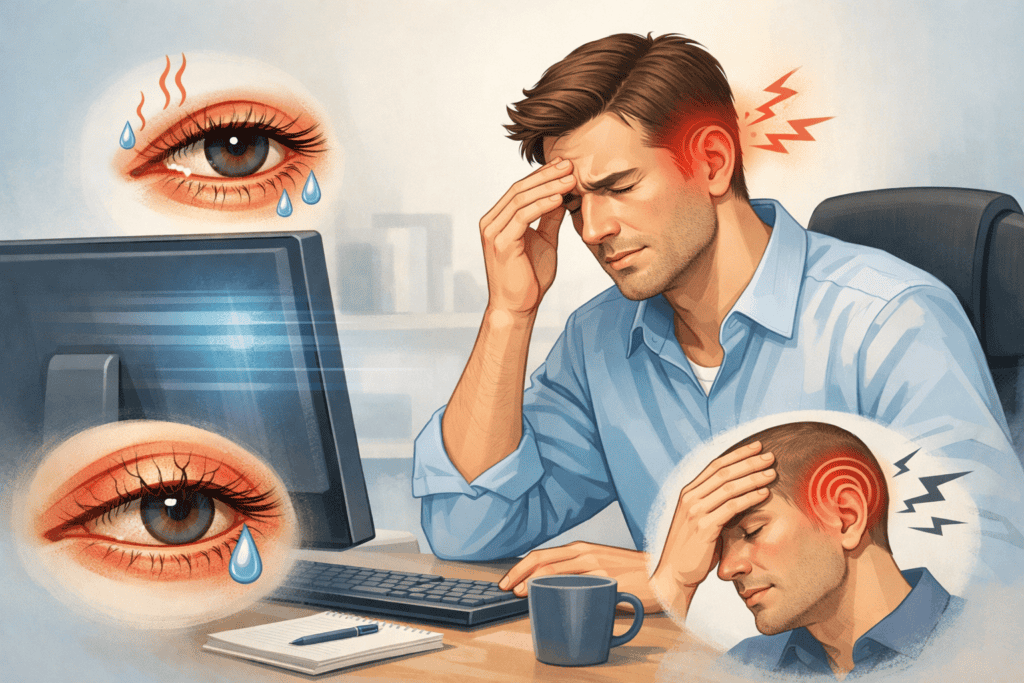
Common Myths About Screen Protectors for Eyes
Screen protectors are one of those things that many people have misconceptions about due to marketing hype and online speculation. Though they could provide some benefits for visual comfort, cushions are no miracle cure. Unfortunately, those myths lead to real disappointment as the solutions fall short, and they ignore more important things, such as posture, breaks, and setting up your monitor correctly. Dispelling these myths will assist users in making more intelligent, healthy decisions.
“They Fix Eye Strain Completely”
It’s one of the greatest fallacies. Not entirely, I think. Screen protectors can’t solve eye strain alone. Eye strain is commonly the result of prolonged screen time, bad posture, and insufficient breaks. A screen protector may also cut down on glare or harsh light, but it won’t prevent fatigue if you work around the clock or sit toe-to-screen.
“More Blue Light Blocking Is Always Better”
One doesn’t always equal the other. Cushioning the lighter end of the spectrum of light waves (aka blue light), strong filters can alter a screen’s colors and introduce some fuzziness to images. This could potentially be an eyesore rather than a relief – particularly for designers and editors. Balanced filtering helps more than extreme blocking, and good screen brightness and lighting matter as much as lowering blue light.
“Screen Protectors Replace Ergonomic Setup”
This misconception leads to terrible desk habits. You can’t solve a screen that is too low, too high, or too close with a screen protector. It’s the proper height for a monitor to be at, with viewable distance and chair support making all the difference. Screen protectors should be complementary, not compensatory. For a lifetime of comfort, ergonomics always takes priority.
FAQs About Screen Protectors for Eyes
Do screen protectors help with eye strain?
Anti-reflective protection film against dirt, dust, and scratches. Reduces touchscreen fingerprint, or smudging. Protects the screen from impact if the device is dropped. Some are anti-glare (not all), but others may reduce the clarity of your display. They aren’t a complete eye strain solution, but they could make marathon screen sessions more comfortable. Better still is when screen protectors are paired with proper monitor height, good lighting, and taking regular breaks from screens.
Do screen protectors work better than blue light glasses?
Screen protectors and blue light glasses operate differently. Screen protectors reduce glare on the display itself, while glasses filter light before it gets to your eyes. Neither is “better” for everyone. Both alternatives are routinized by many users, though these vary in how they can effectively plane-fix the screen height and brightness.
Does a good display get slightly hampered when I use a screen protector?
Yes, certain screen protectors do alter the level of brightness, sharpness, or color clarity on your display. Satin protectors cut down reflections but soften images as well. Good protectors are designed to have comfort and clarity in harmony with each other. The right type makes a difference, especially for creative or detail-oriented work like design or editing.
Do screen protectors work on two monitors?
You can install a screen protector on dual sides, but both sides will be the same. It will become unbearable to use a screen protector on one of the screens. In dual monitor scenarios, alignment, brightness, and seating height are more important than just the protection.
Are they safe for daily use?
As it turns out, screen protectors are safe and can be used for daily use without damaging your eyes or screens. They just influence the way that light gets to your eyes. But they also shouldn’t replace healthy screen habits that are already quite well established: blinking often, adjusting brightness, and taking short breaks throughout the day.
Final Thoughts: Screen Protectors Help, Setup Matters More
Eye screen protectors can be useful for those who spend long hours looking at screens and/or in well-lit or reflective spaces. They can limit reflection and increase visual comfort, but they are not the end of the story. True comfort comes from a well-positioned situation, including the right monitor height, viewing distance, lighting, and breaks. If you’re only focusing on the accessories and neglecting posture and desk ergonomics, it can result in consistent aches and pains. If you already have a decent screen setup, then the screen protector will give tiny residual relief. The most effective long-term screen comfort has tended to be simple ergonomic improvements.